Google Business Profile Name Guidelines: Avoiding Penalties and Spam Flags
Use the real-world name customers recognize on your Google Business Profile. Learn which additions can trigger spam flags, how to correct a risky name, and how to improve local visibility without keyword stuffing.
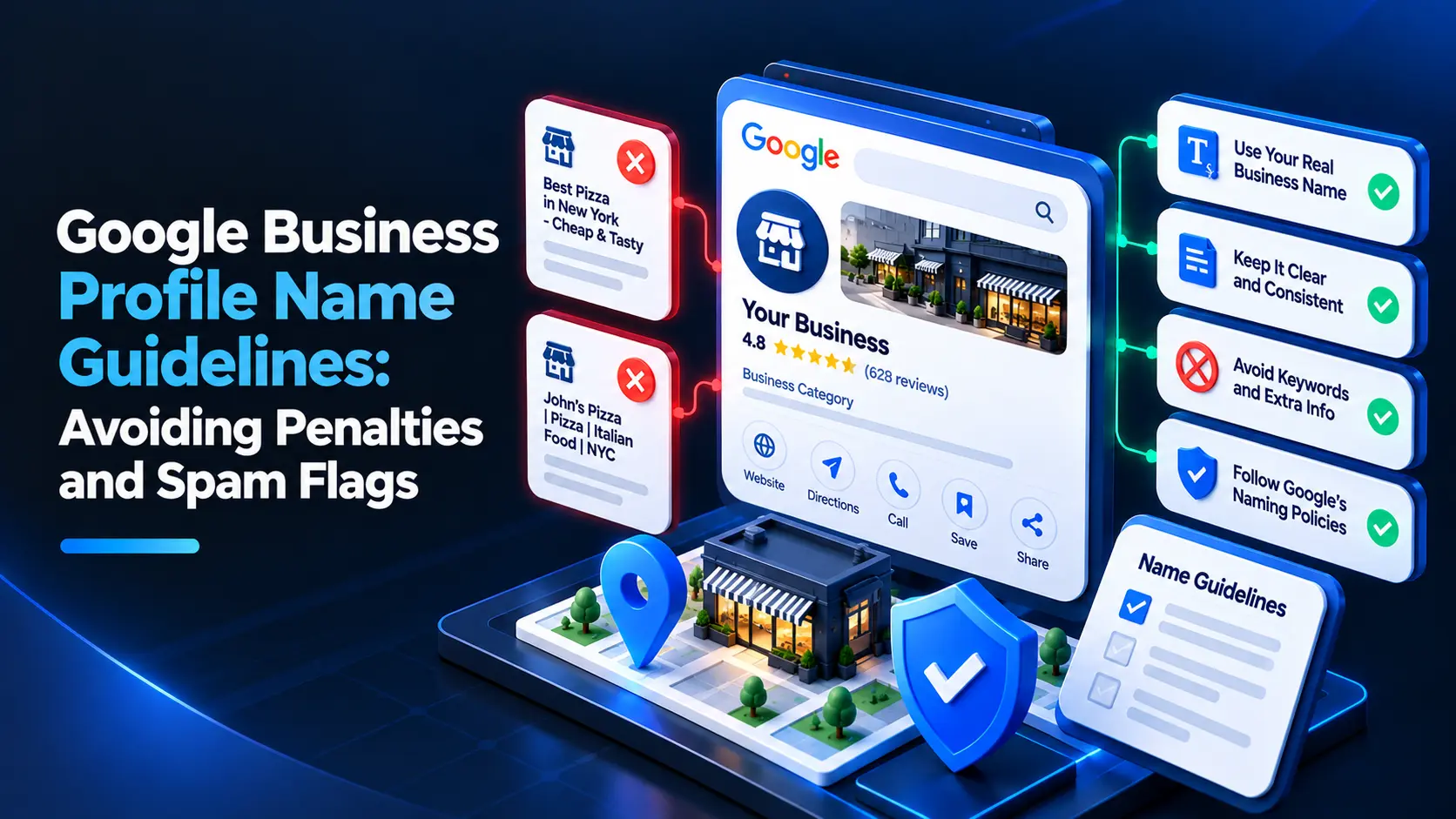
Google Business Profile name guidelines are simple: use the real-world name customers see on your storefront, website, and business materials. Don’t add keywords, locations, services, or promotional phrases unless they are genuinely part of your established business name. Extra wording can trigger edits, suspensions, or other profile restrictions.
What are Google Business Profile name guidelines?
Google expects your profile name to match the name your business uses in the real world. That means the name should be consistent with your signage, website, stationery, and other customer-facing materials—not written to include extra search terms.
For example, if your business is called “Harbor Street Dental,” use that name rather than “Harbor Street Dental | Emergency Dentist & Teeth Whitening.” The added services may be relevant to your business, but they don’t belong in the name field unless they are part of the actual business name.
Google’s guidelines apply whether you manage one location or many. A name that looks like an attempt to influence search rankings can be reported, edited by Google, or contribute to a suspension.
Which words can you include in your business name?
Use the name customers recognize and can verify through your real-world branding. Depending on how your business operates, that may include a legitimate brand name, a location-specific name used consistently in the real world, or a descriptor that is formally part of the business name.
Before changing the field, check whether the proposed name appears consistently on:
- Permanent storefront or office signage
- Your official website and location pages
- Business cards, invoices, or other customer-facing materials
- Branding used at the location itself
Consistency helps support the name you use, but it does not make an added keyword compliant. A phrase appearing on a website page or advertisement does not automatically qualify as part of the business name.
What counts as keyword stuffing in a GBP name?
Keyword stuffing means adding words to the profile name to describe services, products, locations, or offers when those words are not part of the real-world business name. It is one of the most common forms of GBP name guidelines spam.
Examples of risky additions include:
- “Best” or “Top Rated” claims
- A city or neighborhood added only to target local searches
- Service lists such as “Plumber, Drain Cleaning, Water Heaters”
- Promotional language such as “Same-Day Service” or “Free Estimates”
- Phone numbers, URLs, or slogans that are not part of the business name
- Extra location names added to a brand that does not use them in the real world
A useful test is to ask: “Would a customer see this exact name on our sign or official materials?” If not, leave the extra wording out of the name field. Use the appropriate profile fields, website content, and Google Posts to explain your services and offers instead.
Can a business include a city or service in its name?
Only when the city or service is genuinely part of the business’s real-world name. For instance, a company that consistently brands itself as “Northside Auto Repair” may use that name if it is what customers see on its signage and official materials. Adding “Northside” solely to appear for searches in that area is not a safe workaround.
The same principle applies to service terms. If a licensed business is genuinely named “Oak & Stone Plumbing,” it can use that name. It should not change its profile to “Oak & Stone Plumbing, Emergency Plumber, Drain Repair” just because those services are important to customers.
When in doubt, use the established name and describe the business accurately in the profile’s other fields. For help improving visibility beyond the name field, see How to Rank in the Google Local 3-Pack: Top Ranking Factors Explained.
How can you check your profile name before editing it?
Use this checklist before making a change:
- Confirm the real-world name. Compare the name you plan to use with your permanent signage, website, and customer-facing materials.
- Remove search phrases. Delete added services, cities, slogans, offers, and claims that are not part of the established name.
- Check the other profile fields. Put your services, categories, hours, contact details, and business description in their appropriate fields.
- Review every location. Make sure each profile reflects the name used at that specific location. Don’t add location keywords to profiles just to differentiate them.
- Keep evidence. If your name is unusual or has recently changed, retain photos of signage and copies of official materials that show the name.
A Google Business Profile audit can help you review profile details for inconsistencies. LocalRanks Pro also offers a free audit tool for businesses that want to check their profile information.
What happens if your GBP name breaks Google’s rules?
Google may change a profile name, restrict edits, or suspend a profile when it believes the information violates its guidelines. A name edit can also prompt a review of the profile, so avoid making repeated changes to test which wording stays live.
A suspension can affect your ability to manage the profile and may interrupt its visibility in Google Search and Maps. The exact outcome depends on the profile and the issue; a name violation does not guarantee a particular penalty.
If your profile has been suspended or rejected, correct the underlying issue before requesting reinstatement. Follow the steps in How to Fix Google Business Profile Suspensions and Rejections Step-by-Step, and provide clear documentation that supports the business name and location.
How do you fix a profile with a spammy name?
If the profile includes added keywords, remove them and restore the real-world business name. Then check the rest of the profile for other inaccurate or inconsistent information before submitting an appeal or requesting a review.
Take these steps:
- Correct the name. Use the name customers see in the real world, without added services, locations, or promotional phrases.
- Check for other guideline issues. Review the address, business category, website, hours, and duplicate listings.
- Gather supporting evidence. Use clear photos of permanent signage and official materials that show the business name.
- Use Google’s available appeal or review process. Explain what you corrected and provide relevant evidence. Avoid submitting repeated requests with no new information.
- Monitor the profile. Watch for changes or new restrictions and keep your business details consistent across platforms.
If you’re unsure whether the name is the only problem, review Google’s current Business Profile guidelines before appealing. Fixing a name alone may not resolve a suspension caused by another issue.
How can you improve local visibility without changing your name?
A compliant business name is only one part of a complete, useful profile. Instead of adding keywords to the name, keep your categories and services accurate, maintain current hours, respond to reviews, and publish useful updates where appropriate.
You can also ask customers for honest reviews without offering incentives or filtering requests based on whether someone is likely to leave a positive review. Google prohibits review gating: don’t ask customers to report a positive experience privately before deciding whether to direct them to leave a public review. Don’t offer discounts, gifts, or other rewards in exchange for reviews.
For ongoing profile upkeep, Profile Monitoring & Editor can help you monitor and manage profile information. The goal is to keep details accurate and useful—not to insert ranking terms into fields where they don’t belong.
How can you avoid future name-related flags?
Set a simple internal rule: profile names must match the real-world business name, and no one changes them without checking the signage and official branding first. This is especially helpful when multiple employees, agencies, or franchise locations can edit profiles.
Before approving a name change, ask:
- Is this the name customers see at this location?
- Is every word part of the established business name?
- Are we adding a service, location, offer, or claim for search visibility?
- Can we support the name with real-world evidence if Google asks?
If the answer points to added search wording, don’t make the change. Keep the name accurate, use the proper profile fields for business information, and build local visibility through a complete profile and helpful customer experience.
Frequently asked questions
Can I add my city to my Google Business Profile name?
Only if the city is genuinely part of the business name used in the real world. Don’t add a location just to target local searches.
Can I add services or keywords to my GBP name?
No, unless those words are part of your established business name. Describe services in the appropriate profile fields instead.
Can Google change my Business Profile name?
Yes. Google may edit a name it believes does not follow its guidelines, and repeated or serious violations can lead to restrictions or suspension.
What should I do if my profile was suspended for its name?
Correct the name to match your real-world branding, check the rest of the profile for guideline issues, and submit an appeal with relevant evidence. Follow Google’s available reinstatement process rather than sending repeated requests without new information.
Can I offer a discount in exchange for a Google review?
No. Google prohibits incentives in exchange for reviews, and businesses must not filter review requests based on whether customers are likely to leave positive feedback.