How to Get More Google Reviews Without Violating FTC & Google Gating Rules
Get more Google reviews by asking every customer for honest feedback, using a direct review link, and following up consistently. Learn how to avoid review gating, incentives, and other practices that can violate Google policies or FTC rules.
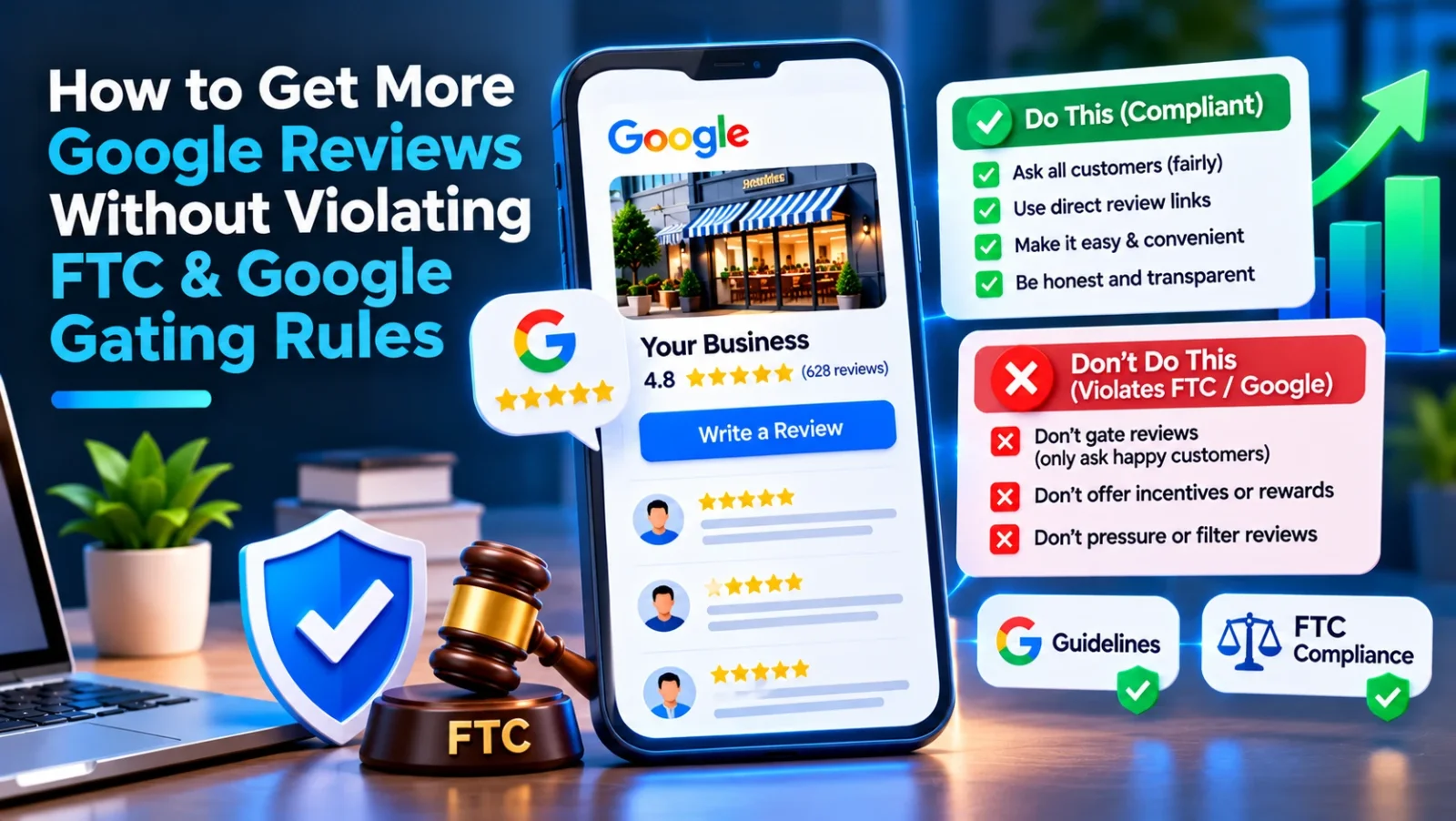
You can get more Google reviews by asking every customer for honest feedback, making the process easy, and following up consistently. Do not screen customers by satisfaction, send only happy customers to Google, or offer incentives; those practices can violate Google’s review policies and FTC rules.
What are Google review gating rules?
Review gating is the practice of filtering customers before they reach a public review site. For example, a business might first ask whether a customer is satisfied, then send only satisfied customers to Google while directing unhappy customers to a private survey.
Google prohibits selectively soliciting positive reviews or discouraging negative reviews. The FTC also prohibits deceptive review practices, including misrepresenting the independence or authenticity of reviews. A private feedback channel can be useful, but it must not be used to keep dissatisfied customers from leaving an honest public review.
The safest rule is simple: invite customers to share honest feedback, and give everyone the same opportunity to review your business.
How can you ask for more Google reviews without gating?
Use a repeatable process that reaches customers fairly and makes no promise about what they should say.
1. Ask all eligible customers
Choose a consistent point in the customer journey, such as after a completed appointment, purchase, or service. Apply the same invitation criteria to everyone in that group. Do not decide who gets a Google link based on a satisfaction score, complaint, or staff member’s guess about what the customer will write.
You can still resolve a service issue. Just do not make a public review invitation conditional on the customer being happy or on whether they agree to change or remove a review.
2. Make the request neutral
Use plain language that asks for an honest review. Avoid wording that pressures customers to leave five stars, asks them to mention particular services or keywords, or suggests that only positive feedback is welcome.
For example:
Thanks for choosing us. If you’d like, share an honest review of your experience on Google: [Google review link]. Your feedback helps us improve.
A request should not imply that a review is required to receive service, a benefit, or a resolution to a problem.
3. Send one direct, convenient link
Create a direct link to your Google review form and include it in a follow-up email, text, receipt, or other appropriate customer communication. Keep the message easy to understand and avoid adding steps that ask customers to rate their experience before they can reach Google.
A QR code or NFC card can make an in-person request easier, but the destination should be the same public review option offered to other customers. For a practical comparison of the two approaches, see NFC Review Cards vs. QR Codes: Which Generates More Google Reviews?.
4. Follow up consistently, not relentlessly
A single reminder can help customers who missed the first message. Set a reasonable follow-up schedule and stop if the customer has already responded or asks not to receive further requests. Follow applicable email, text, and privacy requirements for your location and communication channel.
Automation can help apply the same process across locations and staff. For example, LocalRanks Pro Review Requests can support a consistent review-request workflow. Review your message templates and targeting rules to make sure they invite honest feedback rather than filter for positive sentiment.
What review practices should businesses avoid?
The following practices can put your reviews or business reputation at risk:
- Sending only happy customers to Google: Do not use a survey, star rating, or staff judgment to decide who receives the public review link.
- Offering incentives for reviews: Do not offer discounts, gifts, contest entries, refunds, or other benefits in exchange for a review. Asking for a particular rating or sentiment makes the request especially problematic.
- Buying or fabricating reviews: Reviews should come from people with genuine experience. Do not post reviews for customers, ask employees to pose as customers, or arrange fake reviews through a third party.
- Pressuring customers to change or remove reviews: You may respond and try to resolve the underlying issue, but do not condition a refund, replacement, or other remedy on editing or deleting a review.
- Keyword stuffing your business name: Use the real-world business name customers recognize. Adding extra service or location keywords to the Google Business Profile name when they are not part of the actual name can violate Google’s guidelines.
- Asking for specific review content: You may invite a customer to describe their experience, but do not script their review or ask them to include selected keywords, claims, or star ratings.
If you use a private survey to learn what went wrong, make it available as a separate feedback option—not as a gate between customers and Google. Customers should still have a clear, equal opportunity to post an honest public review.
How should you respond to negative Google reviews?
Respond calmly, promptly, and without revealing private customer information. A useful response acknowledges the concern, avoids arguing about disputed details in public, and offers an appropriate way to continue the conversation offline.
For example:
Thank you for sharing this. We’re sorry your experience did not meet expectations. Please contact us at [business contact] so we can understand what happened and discuss it with you.
Do not accuse the reviewer of lying, disclose account or health information, or offer a benefit in exchange for changing the review. If you believe a review violates Google’s policies, report it through Google’s review reporting process. A negative opinion or disagreement with the review is not, by itself, proof that it should be removed.
A consistent response process also helps staff avoid making promises or sharing details they are not authorized to disclose. Keep public replies factual and move sensitive matters to a private channel without asking the customer to take down their review.
How can you build a compliant review process?
Use this checklist to make your process easier to manage:
- Define who receives an invitation. Use a neutral rule, such as completed transactions or appointments, rather than customer sentiment.
- Use approved, neutral wording. Ask for an honest review without requesting a rating or specific language.
- Use one public review destination. Do not route customers to different destinations based on their answers.
- Train staff. Explain that reviews must be voluntary and that incentives, pressure, and selective requests are not allowed.
- Check messages and automation. Review follow-up timing, audience filters, and survey flows periodically.
- Monitor and respond. Assign responsibility for reviewing new feedback and escalating sensitive complaints.
- Keep records of the process. Retain your approved templates and document how customer groups are selected. This helps you spot inconsistent treatment and update the process when policies change.
A Google Business Profile audit can help identify profile issues to review alongside your customer-feedback workflow. Treat an audit as a starting point: verify current Google and FTC requirements for your business, industry, and location, and consult legal counsel when you need advice about a specific compliance question.
How can reviews support local visibility without policy shortcuts?
Reviews are one part of a broader local presence. Keep your business information accurate, maintain a complete profile, and publish useful updates that reflect real services and offers. Do not try to compensate for a weak profile by manipulating review content or adding keywords to your business name.
Track review volume and themes over time, but do not treat a particular rating or volume as guaranteed to improve rankings. Use feedback to identify service issues, clarify customer expectations, and improve operations. For broader local visibility work, tools such as LocalRanks Pro’s Geo-Grid Rank Tracker can help monitor how your business appears across locations.
The durable approach is to ask consistently, make the link easy to use, and let customers decide what to say. That protects the credibility of your reviews while giving every customer a fair chance to share their experience.
Frequently asked questions
What is Google review gating?
Google review gating is filtering customers based on satisfaction before directing them to leave a public review. For example, sending only happy customers to Google while routing unhappy customers to a private form is review gating.
Can I ask customers to leave a five-star Google review?
You can invite customers to leave an honest review, but you should not request a specific star rating or positive sentiment. Use neutral wording and let customers decide what to say.
Can I offer a discount in exchange for a Google review?
No. Do not offer discounts, gifts, contest entries, or other incentives in exchange for Google reviews. Incentives can undermine review authenticity and violate platform policies or consumer-protection rules.
Can I send unhappy customers to a private feedback form?
You may offer a private channel for resolving concerns, but it must not replace or block the customer’s opportunity to leave an honest Google review. Do not use a satisfaction survey to decide who receives the public review link.
Can I ask a customer to remove or change a negative review?
You can address the customer’s concern and invite them to update their review if they choose, but do not pressure them or make a remedy conditional on changing or deleting it. Keep the response respectful and avoid sharing private information.